Language

From office professionals and programmers to gamers and digital creators, modern users are looking for keyboards that combine compact layouts, wireless flexibility, responsive typing, and long-lasting comfort. A Wireless Bluetooth 2.4G 94 Keys Mechanical Keyboard offers the ideal balance between performance and space efficiency. This article explores its features, advantages, practical applications, buying considerations, and how it solves everyday typing challenges.
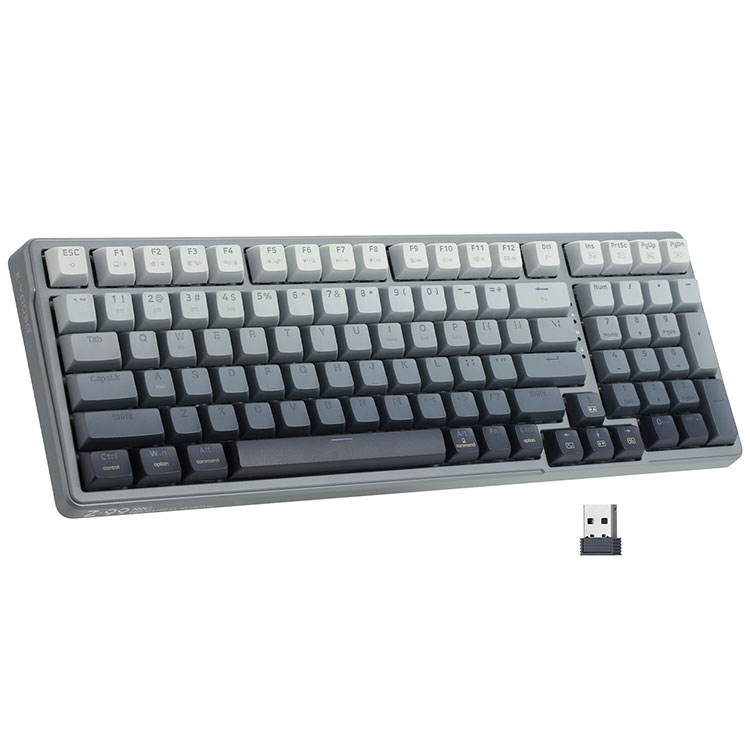
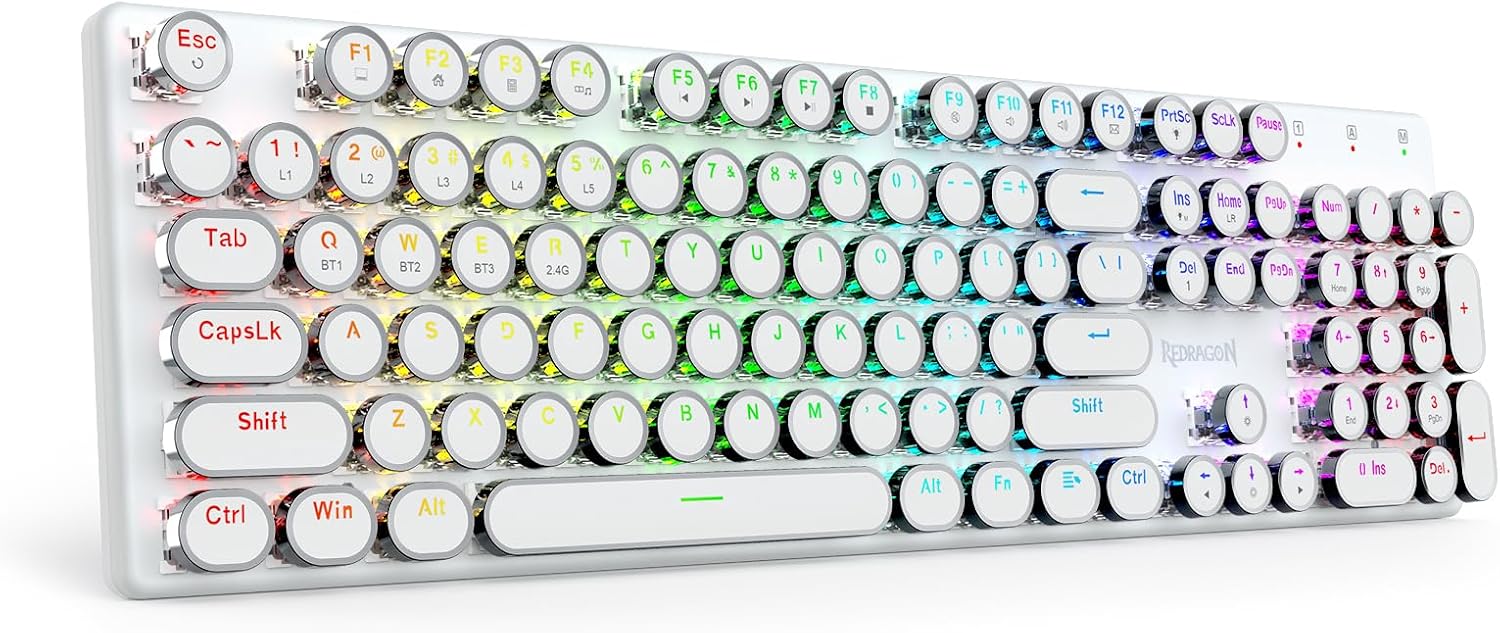
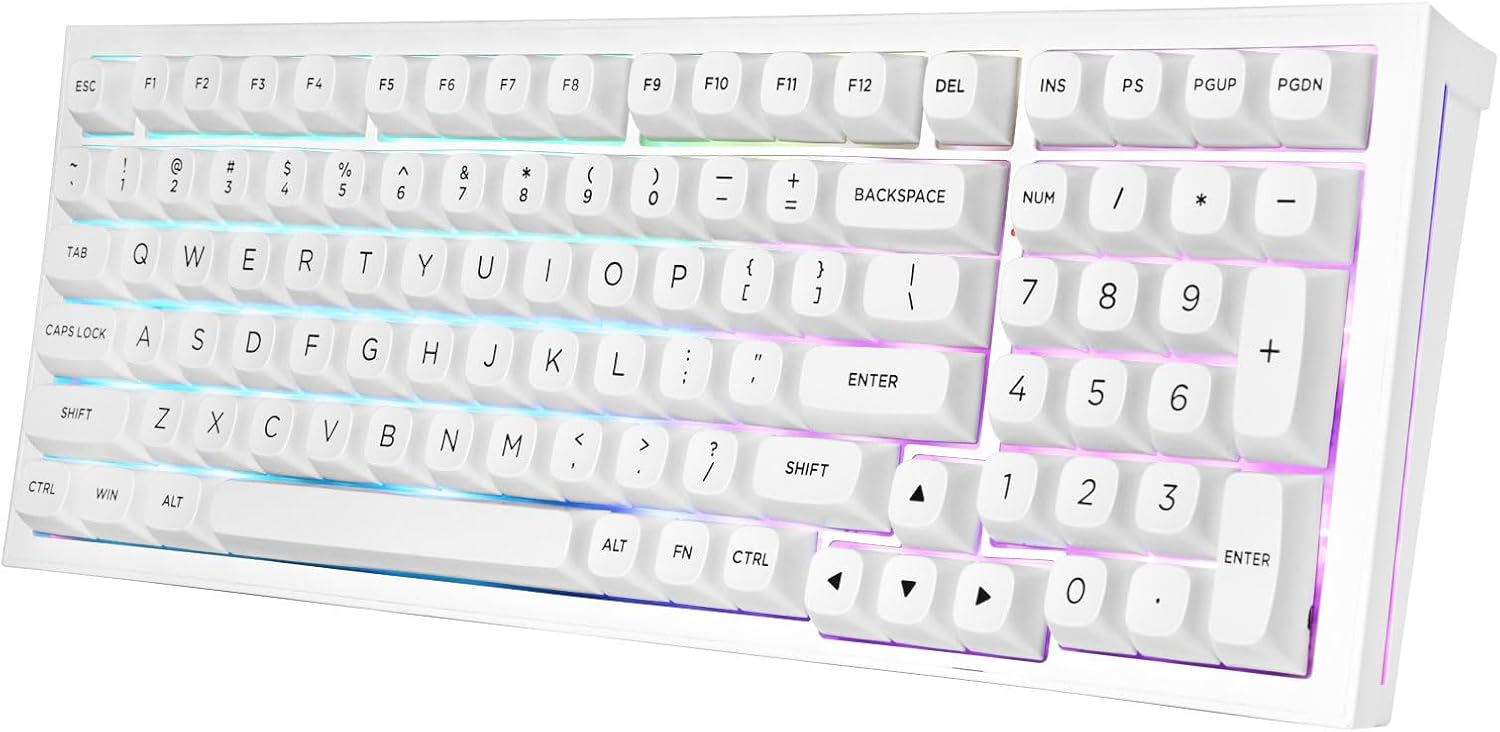
A Wireless Bluetooth 2.4G 94 Keys Mechanical Keyboard combines wireless convenience with mechanical precision. Unlike traditional full-sized keyboards, the 94-key layout saves desk space while maintaining essential numeric functions. With support for Bluetooth and 2.4G wireless connections, users can seamlessly switch between devices and enjoy low-latency performance for gaming, work, and entertainment.
This comprehensive guide explains how these keyboards improve productivity, comfort, portability, and aesthetics while addressing customer pain points such as cable clutter, delayed input, uncomfortable typing, and limited compatibility.
A 94-key mechanical keyboard is designed to provide a compact yet highly functional layout. It removes unnecessary empty spaces found in traditional full-sized keyboards while retaining essential keys such as the numeric keypad, arrow keys, and function keys.
This layout is especially popular among users who want:
Unlike membrane keyboards, mechanical keyboards use independent switches under each key, resulting in faster response times, enhanced durability, and a satisfying tactile feel.
Modern wireless mechanical keyboards are engineered to deliver stable performance without sacrificing speed or reliability.
| Feature | Benefit |
|---|---|
| Bluetooth Connectivity | Easy connection to laptops, tablets, and smartphones |
| 2.4G Wireless Mode | Low latency for gaming and fast typing |
| Mechanical Switches | Precise keystrokes and improved durability |
| Compact 94-Key Layout | Space-saving design with full functionality |
| RGB Backlighting | Enhanced aesthetics and nighttime visibility |
| Rechargeable Battery | Long-term wireless convenience |
Many users struggle with oversized keyboards occupying valuable workspace. The 94-key layout addresses this issue by offering a streamlined structure without removing critical functions.
Key advantages include:
For office workers, this means a more efficient workspace. For gamers, it creates additional room for mouse movement during competitive gameplay.
Gaming requires responsiveness, precision, and comfort. Wireless Bluetooth 2.4G mechanical keyboards are increasingly capable of meeting professional gaming demands.
The 2.4G wireless mode delivers ultra-low latency, ensuring rapid response during intense gameplay sessions. Mechanical switches also provide distinct feedback that improves reaction speed and accuracy.
Gamers appreciate features such as:
Modern wireless technology has significantly reduced lag concerns, making wireless gaming keyboards a serious alternative to wired models.
Professionals spend hours typing emails, reports, and spreadsheets. A high-quality mechanical keyboard can dramatically improve productivity and reduce fatigue.
Office users benefit from:
The inclusion of a numeric keypad in the 94-key layout is particularly valuable for accountants, financial professionals, and data analysts.
Mechanical switches directly influence the typing experience. Choosing the right switch depends on personal preference and intended use.
| Switch Type | Characteristics | Best For |
|---|---|---|
| Blue Switch | Clicky and tactile | Typing enthusiasts |
| Red Switch | Smooth and linear | Gaming |
| Brown Switch | Balanced tactile feedback | Mixed use |
| Black Switch | Heavier resistance | Advanced gamers |
One major customer concern is wireless performance reliability. Understanding the difference between Bluetooth and 2.4G technology helps users choose the right connection mode.
| Technology | Advantages | Ideal Usage |
|---|---|---|
| Bluetooth | Easy pairing, multiple devices | Office work, tablets, mobile devices |
| 2.4G Wireless | Lower latency, stable signal | Gaming and professional tasks |
Many premium keyboards support both modes, allowing users to switch freely based on their activities.
Battery performance is a critical factor for wireless keyboards. Users want reliable operation without constant charging interruptions.
Advanced wireless mechanical keyboards typically offer:
Backlight brightness and connection mode can influence battery consumption, so adjustable lighting controls are particularly useful.
Typing discomfort and wrist strain are common complaints among heavy keyboard users. Ergonomic keyboard design helps reduce physical stress.
Important ergonomic features include:
Mechanical keyboards can also reduce bottoming-out pressure during typing, helping users maintain comfort during long sessions.
Modern professionals often use multiple devices throughout the day. Wireless Bluetooth 2.4G keyboards are designed for flexible device switching.
Compatible systems may include:
Some keyboards support quick switching between three or more connected devices, improving multitasking efficiency.
Customization has become a major trend in the mechanical keyboard market. Users want keyboards that reflect their personality and workflow preferences.
Popular customization options include:
Hot-swappable designs are especially valuable because users can replace switches without soldering, allowing experimentation with different typing experiences.
| Layout | Advantages | Disadvantages |
|---|---|---|
| Full-Size | Complete functionality | Large footprint |
| 87 Keys | Compact and portable | No numeric keypad |
| 94 Keys | Balanced layout and functionality | Slight learning curve |
The 94-key layout is often considered the ideal middle ground between compactness and practicality.
Proper maintenance extends keyboard lifespan and preserves typing quality.
Recommended maintenance practices include:
Mechanical keyboards are generally more durable than membrane keyboards and can withstand millions of keystrokes when maintained properly.
Before purchasing a Wireless Bluetooth 2.4G 94 Keys Mechanical Keyboard, users should evaluate several important factors.
| Factor | Why It Matters |
|---|---|
| Switch Type | Affects typing feel and noise |
| Battery Capacity | Determines wireless usage duration |
| Connectivity Options | Ensures compatibility flexibility |
| Keycap Material | Impacts durability and texture |
| Build Quality | Improves stability and lifespan |
Buyers should also consider intended usage scenarios, workspace size, and typing preferences.
The mechanical keyboard industry continues to evolve rapidly.
Emerging trends include:
Consumers increasingly expect keyboards to function as both productivity tools and lifestyle accessories.
Q1: Is a wireless mechanical keyboard good for gaming?
Yes. Modern 2.4G wireless technology provides extremely low latency, making wireless mechanical keyboards suitable for competitive gaming.
Q2: What is the advantage of a 94-key layout?
The 94-key layout saves desk space while retaining essential functions like the numeric keypad and arrow keys.
Q3: Can Bluetooth and 2.4G modes be used interchangeably?
Yes. Many keyboards support both connection modes, allowing users to switch depending on performance or convenience needs.
Q4: How long do mechanical switches last?
Most mechanical switches are rated for tens of millions of keystrokes, significantly longer than traditional membrane keyboards.
Q5: Which switch type is best for office work?
Brown or silent red switches are popular for office environments because they provide comfort with lower noise levels.
A Wireless Bluetooth 2.4G 94 Keys Mechanical Keyboard represents the perfect combination of modern functionality, ergonomic comfort, wireless freedom, and professional-grade performance. Whether for gaming, office work, programming, or creative production, this keyboard layout offers an efficient solution that balances compactness with usability.
As user expectations continue to evolve, wireless mechanical keyboards are becoming essential tools for modern digital lifestyles. Their ability to deliver responsive typing, flexible connectivity, and customizable experiences makes them one of the most valuable computer accessories available today.
Shenzhen Chuangquan Electronics Co., Ltd. specializes in high-quality wireless mechanical keyboards designed for gaming, office productivity, and professional applications. Our products combine innovative wireless technology, durable construction, and stylish designs to meet global market demands.
Contact us today to explore customized keyboard solutions, OEM/ODM services, and competitive product options for your business.